Your product can create a creator's DROPP account, follow their identity check, create their payment links and receive their sales through the DROPP API. You can try account creation, identity results and link creation on test accounts before a real person is involved.
That means "open a DROPP account" can be a button inside your agency software, CRM or chatting tool, instead of a manual setup for each creator.
Who is this for?
- Agencies that sign new creators every month and want to open their DROPP accounts from their own software.
- Creator CRMs and subscription tools for agencies that want "open a DROPP account" to be a button inside their own product.
- Chatting tools whose chatters sell content in conversations and need to know which conversation produced which sale.
Partner tools already run more than 430 creators on DROPP through the API, and DROPP sends them around 28,000 sale notifications a day.
Open a creator account from your product
You send an email address and a name. DROPP creates the creator account and emails the person an invitation to take it over. Your product can act for that creator from that moment. The creator never gives you a password.
You can also create an agency account, then add creators to it from your product. Each creator you add receives an invitation by email. Their revenue split starts at 100% agency, 0% creator, as with an invitation from the dashboard, and the agency changes it in the dashboard.
Know when a creator can get paid
A creator cannot be paid until DROPP has verified whoever receives the money from their sales: the creator, their agency, or both, depending on the revenue split. Your product sees the status of the identity check and is told when it changes:
- not started
- in progress
- verified
- failed
- rejected
It also sees whether the creator has set up where their payouts go. While an agency receives all of a creator's revenue, fans can pay that creator as soon as the agency's own business verification is done. Once the split gives the creator a share, the creator's identity check is needed as well.
Create payment links and track each chatter's sales
You choose the content and the price, and DROPP returns a checkout link you can share anywhere. Attach your own labels to each link, for example a campaign, a chatter or a conversation, and you get them back on each sale.
That is how a chatting tool credits the right chatter. For each conversation, the tool creates a link copy carrying its own labels, such as the chatter and the conversation. When a fan pays, the sale arrives with those labels and, when the checkout collected it, the buyer's email. Nobody matches payments by hand. If those conversations happen in Telegram, see how to sell content on Telegram: a Vault link also gives you the buyer's Telegram identity.
Receive every sale on one webhook
One address on your server receives the sales of every creator your application created. For creators added to an agency, you register one address per agency.
If you also show sales totals in your product, the partner API returns the same numbers as the DROPP dashboard, with written definitions.
Earn on the creators you bring
An account created by your product carries your referral code from the start. You earn the referral share on that creator's future sales, as if they had signed up with your code. The terms of your referral code are set by DROPP when it registers your application.
Test before going live
- DROPP registers your application and issues its application key. Ask for the test application key at the same time. Registration is done by hand today.
- With the test key, your product creates a test creator.
- You set their identity check result yourself: verified, rejected or pending. Your product receives the same notification a real check would send.
- You create a payment link for them on the test account.
- When this works, you switch to the live key. The same calls now create real accounts. The person receives the invitation, completes their identity check and payout setup in DROPP, and can then sell.
Test creators use a reserved email domain that cannot receive mail, so nobody is invited and nobody can log in to them. They stay out of payouts and public profile pages.
What is still being verified, and what you cannot test:
- Being verified: paying a test link for a creator created with the test key. This step is not confirmed end to end yet.
- Not testable: adding creators to an agency, and reading balances and payouts. These answer "not supported in test mode".
- Test creators cannot be deleted yet; you can leave them.
Three cases
An agency with 40 creators. The agency signs two or three new creators a week. Today each one gets a manual invitation and someone checks later whether they finished their identity check. With its own DROPP agency key, the agency adds each creator from its internal tool. The creator is in the agency's roster at once, and the agency can upload content and create links for them before they have logged in. The tool shows which creators cannot take payments yet, where their identity check stands, and whether they have set where their payouts go.
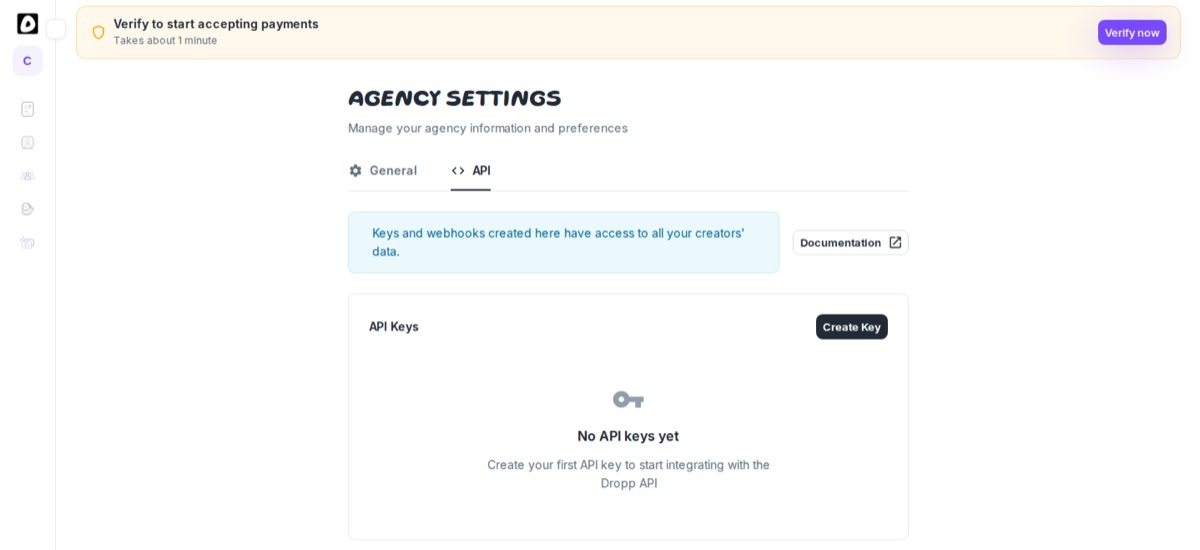
A subscription tool for agencies. When a customer turns on "Sell with DROPP", the tool creates a DROPP agency account for that customer with its application key, adds the customer's creators to it, and creates links for those creators. The tool never asks the agency for an API key. The agency account carries the tool's referral code from the moment it is created. The tool registers one notification address for that agency to receive its creators' sales, and the agency's administrator can disconnect the tool at any time in DROPP.
A chatting tool with many chatters. Each chatter sells content to fans in private conversations. For each conversation, the tool creates a link copy labelled with the chatter and the conversation. When a fan pays, the sale arrives on the tool's notification address with those labels, and the tool credits the right chatter.
What are the limits today?
- Registration is manual. There is no self-service sign-up.
- Your product acts only for accounts it created. A creator who already had a DROPP account is not taken over; if your application is registered for "Login with DROPP", they can connect your product themselves.
- Access can be withdrawn. A creator or agency administrator can disconnect your product at any time, and your access stops at once.
- Rate limits. An agency can add 30 creators per hour and 200 per day through the API.
- Revenue splits are changed in the DROPP dashboard, not through the API.
Frequently asked questions
Is there an API to onboard creators from my agency CRM? Yes. With the DROPP API, your product creates the creator account from an email address and a name, and DROPP emails the person an invitation. You can also create an agency account and add creators to it.
How do I track which chatter made a sale? Put your own labels on each link, for example the chatter and the conversation. Every sale comes back with the labels of the link it was bought through.
Can I see a creator's identity check (KYC) status? Yes. Your product sees whether the check is not started, in progress, verified, failed or rejected, is told when it changes, and sees whether payouts are set up.
Do creators need to give us their password? No. DROPP emails the creator an invitation to take over the account. Your product acts for them through its application key.
Can I test without real creators? Yes. With the test key you create test creators, set their identity check result yourself and create links. Paying a test link is still being verified, and agency and balance calls are not available in test mode.
How do I get an application key? DROPP registers applications by hand today. Talk to us and ask for the test key at the same time.
Talk to us
DROPP has not published a price or a typical integration time for this yet. What decides them is the DROPP fees on each sale, the terms of your referral code, and how many of the steps above your product needs. Give your developer the build guide for onboarding creators from your tool: it goes from a test key to a first test link, then to live. Then talk to us to get your application registered.